Showing posts with label Photoshop CS4. Show all posts

Thursday, 16 August 2012

Wordless Wednesday: Little Girl

little-girl

Many of the children in Greece are poor and busk for money from tourists, we saw many playing accordions like this little girl in Athens too. I edited this image in Adobe Camera Raw ( although you don't get all the features that ACR offer to raw file users, you can still bring a jpg file into it), cropped the image and did a bit of selective colour editing.

Wordless Wednesday

Saturday, 12 November 2011

The Weekend in Black and White: Farm Buildings in HDR

farm_building2

5 hand-held black and white exposures, edited in HDR Darkroom with some gamma editing in Photoshop CS4 to darken the sky afterward.

The Weekend in Black and White

Thursday, 3 February 2011

Skywatch Friday: Trinità Dei Monti Cathedral, Rome

DSCN0108

Shot of the Trinita Dei Monti Cathedral, which stands at the top of the Spanish Steps in Rome.

Trinita-de-Monti

Post-Processed in Topaz Adjust

Skywatch Friday

Tuesday, 28 December 2010

Sepia Scenes: Old Church, Edinburgh

DSCN3649-1


Taken on Christmas Eve's Day in Edinburgh's Old Town.

Tutorial:

Open image in Photoshop and Duplicate image ( Layer > Duplicate Layer)
Go To Image then choose Gradient Map ( Image >Gradient Map)
Choose the Bronze Gradient and tick the reverse box and okay.
Change the blending mode to Color and opacity setting to 66% then Flatten your image and save.

Original Image At Flickr

Sunday, 11 October 2009

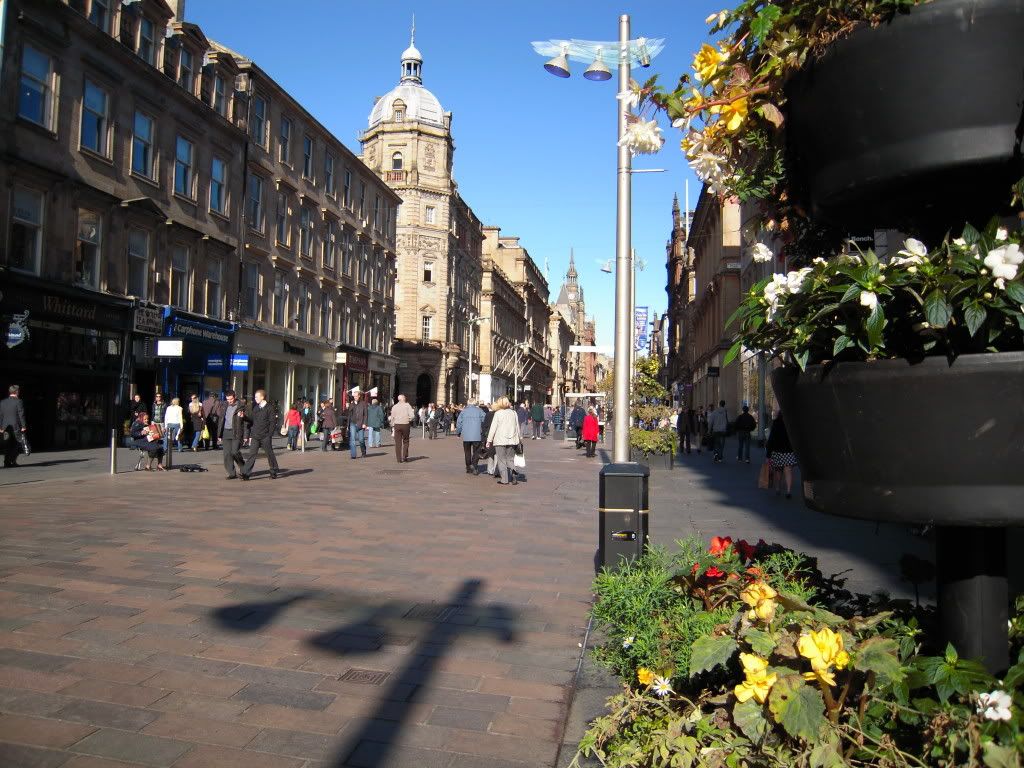
Buchanan Street Glasgow

From PS


Image manipulation:

Open Image:
Layer>duplicate layer
Image>adjustments>hue/saturation>cynotype
Flatten Image
Layer>duplicate layer
Filter>stylize>find edges
change blend mode to>colour (color) then duplicate that layer again
Filter>stylize>solorize
Flatten image.

I left the blend mode on colour but you can experiment on different modes to suit.

Monochrome Weekly
Shadow Shot Sunday


Original Image: